Retrio fonts from Luxfont - (lkyua)

Retrio
Retrio RetrioRetrio


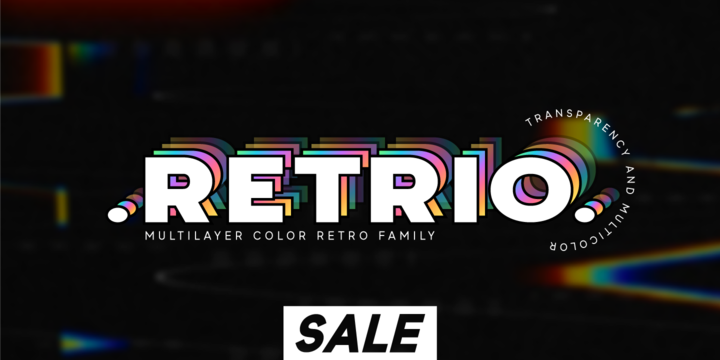
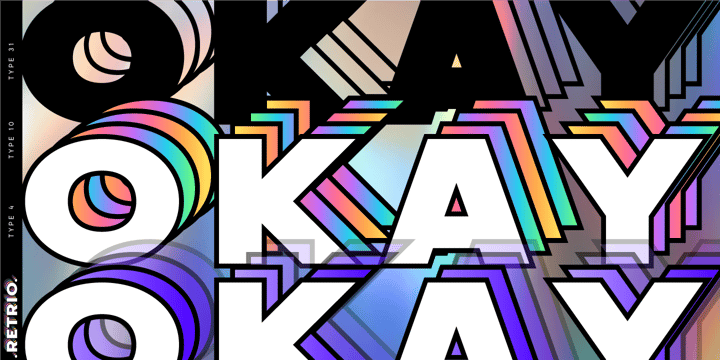
Introducing Retrio. Original glyphs with echoed behind. As if the letters were moved, but the kinetic trail remained. Colored, gradient, with transparency or solid - many options in one family for any task and for every taste. The font will emphasize the style of the 20th century in illustration. Discos, electro music, records, nostalgia - these are the associations that this font family evokes, which is very important in design. At the same time, the Retrio font is not outdated, it was created taking into account modern trends in retro themes. A unique family in which there are both color and classic monochrome versions. Great versatility in use is provided by the many fonts in the set. Great for ad designs, posters, headlines and covers.


Check the quality before purchasing and try the FREE DEMO version of the font to make sure your software supports color fonts.


P.s. Have suggestions for color combinations? Write me an email with the subject "Retrio Color" on: ld.luxfont@gmail.com


Features:


- Free Demo font to check it works.

- Uppercase and lowercase the same size.

- With transparency and without.

- Mega high-quality gradients in letters.

- Kerning.


IMPORTANT:


- Multicolor version of this font will show up only in apps that are compatible with color fonts, like Adobe Photoshop CC 2017.0.1 and above, Illustrator CC 2018. Learn more about color fonts & their support in third-party apps on www.colorfonts.wtf

-Don't worry about what you can't see the preview of the font in the tab "Individual Styles" - all fonts are working and have passed technical inspection, but not displayed, they just because the website MyFonts is not yet able to show a preview of colored fonts. Then if you have software with support colored fonts - you can be sure that after installing fonts into the system you will be able to use them like every other classic font.


Question/answer:


How to install a font?

The procedure for installing the font in the system has not changed. Install the font as you would install the classic fonts.


How can I change the font color to my color? 


·        Adobe Illustrator:

Convert text to outline and easily change color to your taste as if you were repainting a simple vector shape.


·        Adobe Photoshop: 

You can easily repaint text layer with Layer effects and color overlay. 


ld.luxfont@gmail.com


Popular posts from this blog

Cre Hearttree fonts from Yoon Design - (jkuzu)

Cre Hearttree Cre HeartTree is a sans serif typeface consisting of 3 weights. It supports up to 13 different languages such as English in Latin and other scripts. Cre Hearttree Download Now View Gallery

Bones Stone fonts from Azetype - (nnidt)

Bones Stone Presenting  Bones Stone ! A Bold Script Font with more than 9 Alternates and Extra. This font made with the perfect combination of each character.  You can type by Mix & Match with an alternate version and extra swashes  to get a unique combining. It looks original and can be used for all your project needs. Each glyph has its own uniqueness and when meeting with others will provide dynamic and pleasing proximity. This font can be used at any time and any project. You can see in the presentation picture above,  Bones Stone looks Authentic on design projects. So, Bones Stone Font can't wait to give its touch to all your design projects such as quotes, poster design, personal branding, promotional materials, logotype, product packaging, etc. Besides that, Bones Stone also has some ligature that gives a surprise when you type certain characters combining. The ligatures are  ff, tt, and ll. WHAT'S INCLUDED? 1. Bones Stone Basic  • The ...

Phone Pro Hebrew fonts from Tamar Fonts - (ibizy)

Phone Pro Hebrew Note: the “ Phone Pro Hebrew ” typeface, includes just the Hebrew characters of the comprehensive “Phone Pro” family font, sold separately [on this MyFonts site], so they are economical for those interested just in the Hebrew Characters. And regarding the “Phone Pro” project in general, this is what I wrote: This font is—neither beautiful nor ugly, neither vigorous nor weak, neither traditional nor modern, neither serif nor sans serif, neither script nor printable, neither a text font nor a display font—it is rather all of the above, which makes it a more versatile typographic tool—[handwritten] characters that are well-suited for a wide variety of applications from editorial design, [friendly] greeting cards... to branding, advertising, publicity and digital. Each glyph design combines its unique shapes and stylish ink-traps with parabolic curves. Each glyph design has been treated as an ‘individual character’—the way I would treat a breathing, living, vulnerabl...